
Unleash Live Streaming Freedom:
Go Live from Any iPhone or iPad with Atem Mini Pro!
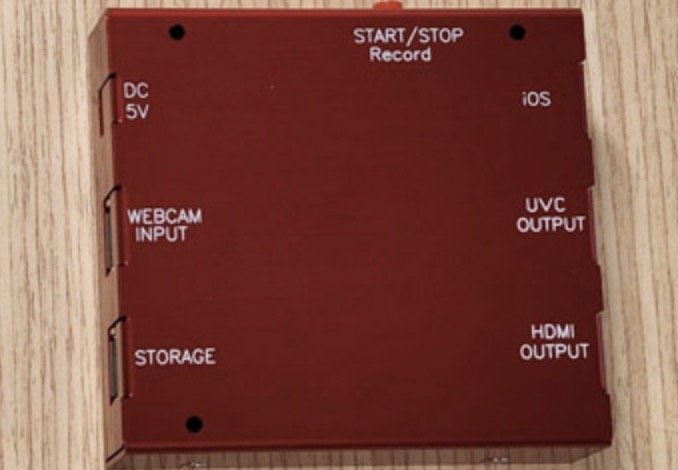
USB WEBCAM streaming adapter product link:
https://www.febon.net/products/usb-webcam-streaming-mulitimedia-adapter
iOS / iPadOS streaming app: medialink switcher:
- facebook / youtube : up to 1080p 16000kbps
- video switch: iOS camera & atem mini pro
- overlay: baseball scoreboard , time, image picture, tolling title...
- audio mix: atem mini & internal iOS (iPad) audio
- app software record & hardware adapter record
- live streaming & app record at the same time
- free download test
- after add adapter, all of function is free ( No watermark, 1080p live streaming....)
Channel one is the ATEM Mini Pro, and channel two is the iOS camera. You can display them side by side or switch between them, and even add a Picture-in-Picture (PiP) effect.


The ATEM Mini Pro offers a USB-C webcam output, allowing you to harness its power for live broadcasts. It also provides a Program (PGM) HDMI output. Additionally, it can record to an SSD card and display on iOS devices, making it suitable for live streaming and using as a TV monitor.


To get started, you need to turn on the MediaLink Switcher app, which is the magic app we'll be using. It allows you to connect any UVC (Universal Video Class) device for live streaming on your iPad or iPhone. You can live stream in 1080p on platforms like Facebook Live and YouTube Live, and even add overlays like the current time, website URL, and sports scores. The app also allows you to switch between the internal iOS camera and external UVC devices.

To connect the ATEM Mini Pro's USB-C webcam output to your iPad, use an adapter and a power source with a DC 5V input. Connect the USB cable to your iPad (if it has a USB-C port) or a USB-C hub (for other iPad versions). Make sure your iPad is running iPadOS 17, and then launch the MediaLink Switcher app.
The app offers intuitive controls, allowing you to switch between different video sources with a simple touch. You can also choose your audio source and adjust audio settings. During live streaming, you can effortlessly switch between video sources and customize your broadcast with options like side by side, Picture-in-Picture, and overlays.
Once you're set up, you can configure your live streaming platform. You can add and manage multiple platforms such as YouTube and Facebook. Choose the desired settings for your live stream, including resolution and bit rate, and start streaming to your preferred platform. Additionally, you have the option to record the live stream either on your iOS device or a hardware recorder.
One noteworthy aspect is that the MediaLink Switcher app is free, giving you access to all these features without any cost. It provides a user-friendly interface for controlling your live stream and making it more engaging with overlays and video source switches. Enjoy your live streaming experience with this versatile app!


沒有留言:
張貼留言