

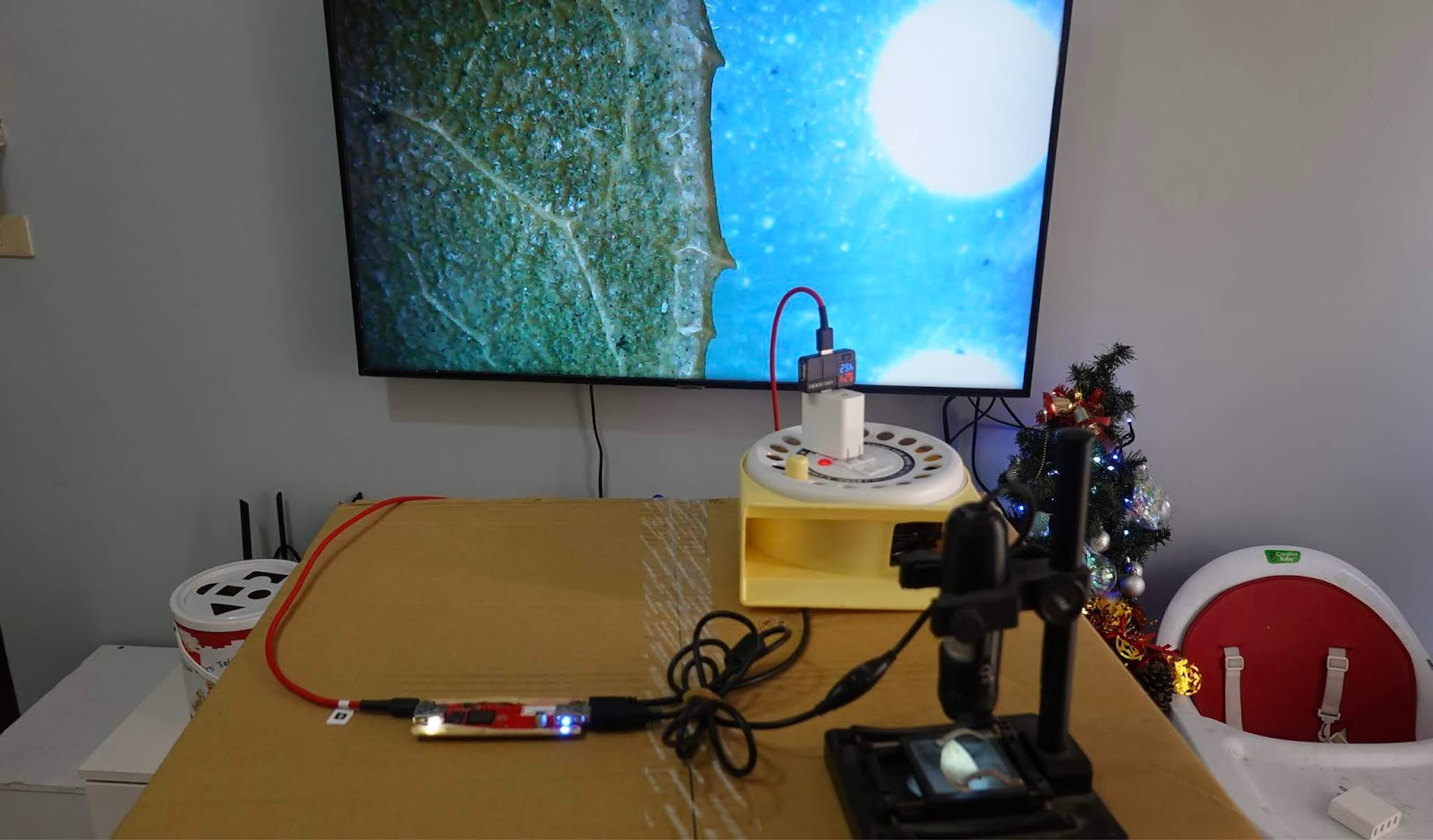
How to do?
You need connect a " uvc webcam to hdmi adapter"
This adapter have two main function
1. uvc webcam to hdmi
2. uvc webcam to iOS ( release API SDK)

有沒有想過...advantage:
1. it just need 11 sec!
2. Do not use keyboard & Mouse
Function1: uvc webcam to hdmi
After you plut the usb uvc webcam, it will auto turn HDMI output with default setting value
if you need change parameter of default value, you just use your PC to setting and then save it.
what is the uvc parameter?
eg:
uvc resolution, frame rate, color sharpness, power line frequency and etc...
UVC webcam color parameter

UVC / HDMI resolution parameter

Function 2: UVC webcam to iOS

API (SDK ) tool:
We will release API /SDK for the secondary app development use.
Communication is HTML5 websocket http TCP video streaming.
you can use free APP to test
eg: iOS app VLC , iOS app rtsp viewer , iOS chrome and etc.
Depend on the open streaming, you can develop your own APP over our adapter.
eg: webRTC , live streaming app , and etc
The video latency is as belowRaw data tcp mode: video latency
110ms(Video Streaming with NODE.JS and html5)h.264 tcp mode: 230ms
API (SDK) document is embedded url interface
Swagger UI API Development Tools


沒有留言:
張貼留言